AI Document Workflows For Aviation Compliance Teams
Aviation compliance and technical publication work is document-heavy by nature. Requirements, guidance, manuals, checklists, and evidence files rarely live in one clean system. They are spread across PDFs, Word documents, spreadsheets, notes, and shared folders.
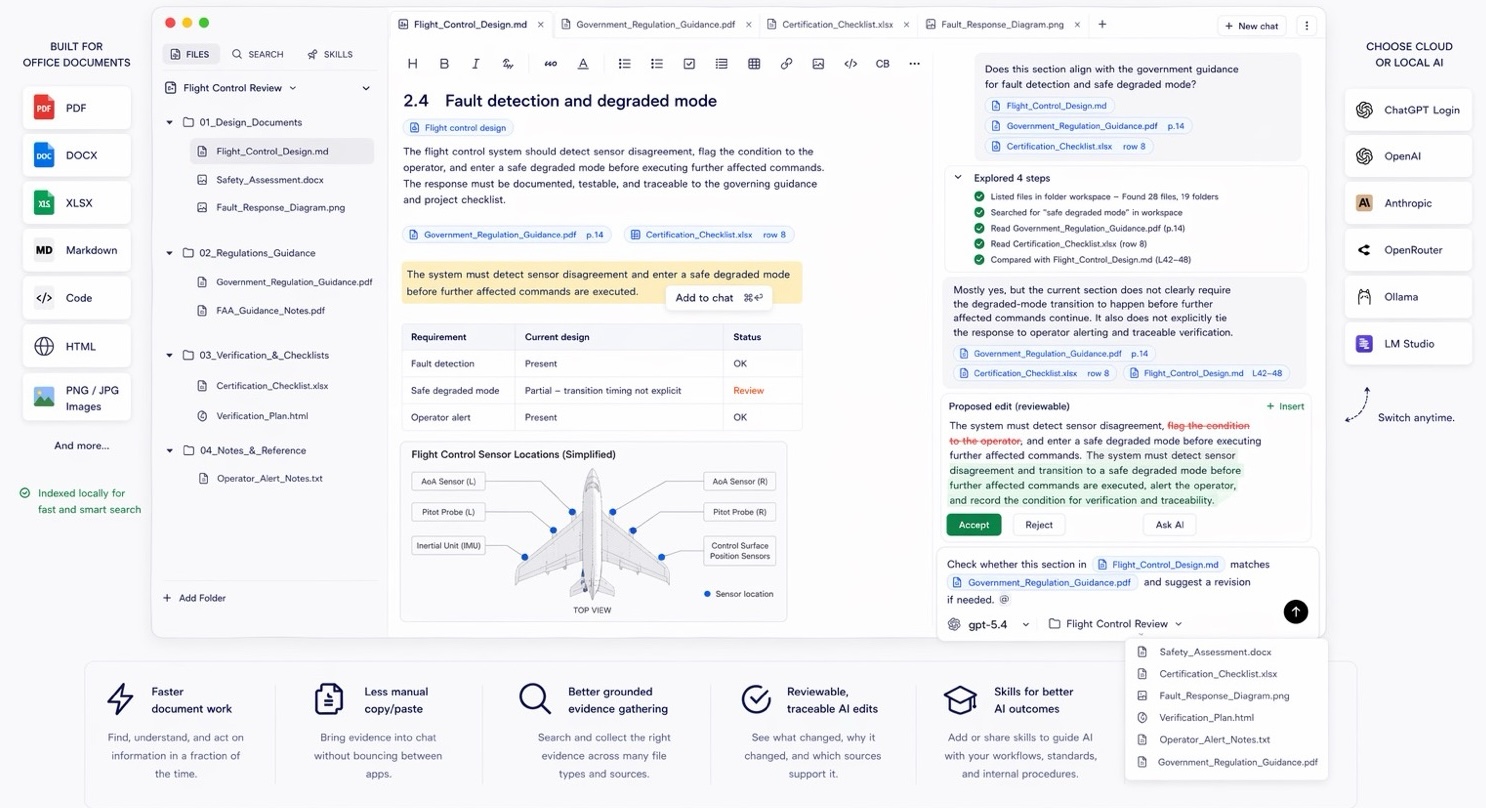
That is exactly where generic AI chat workflows start to break. Uploading a single PDF may produce a useful summary, but it does not answer the operational question: what else in the workspace is affected, and which source should a reviewer trust?
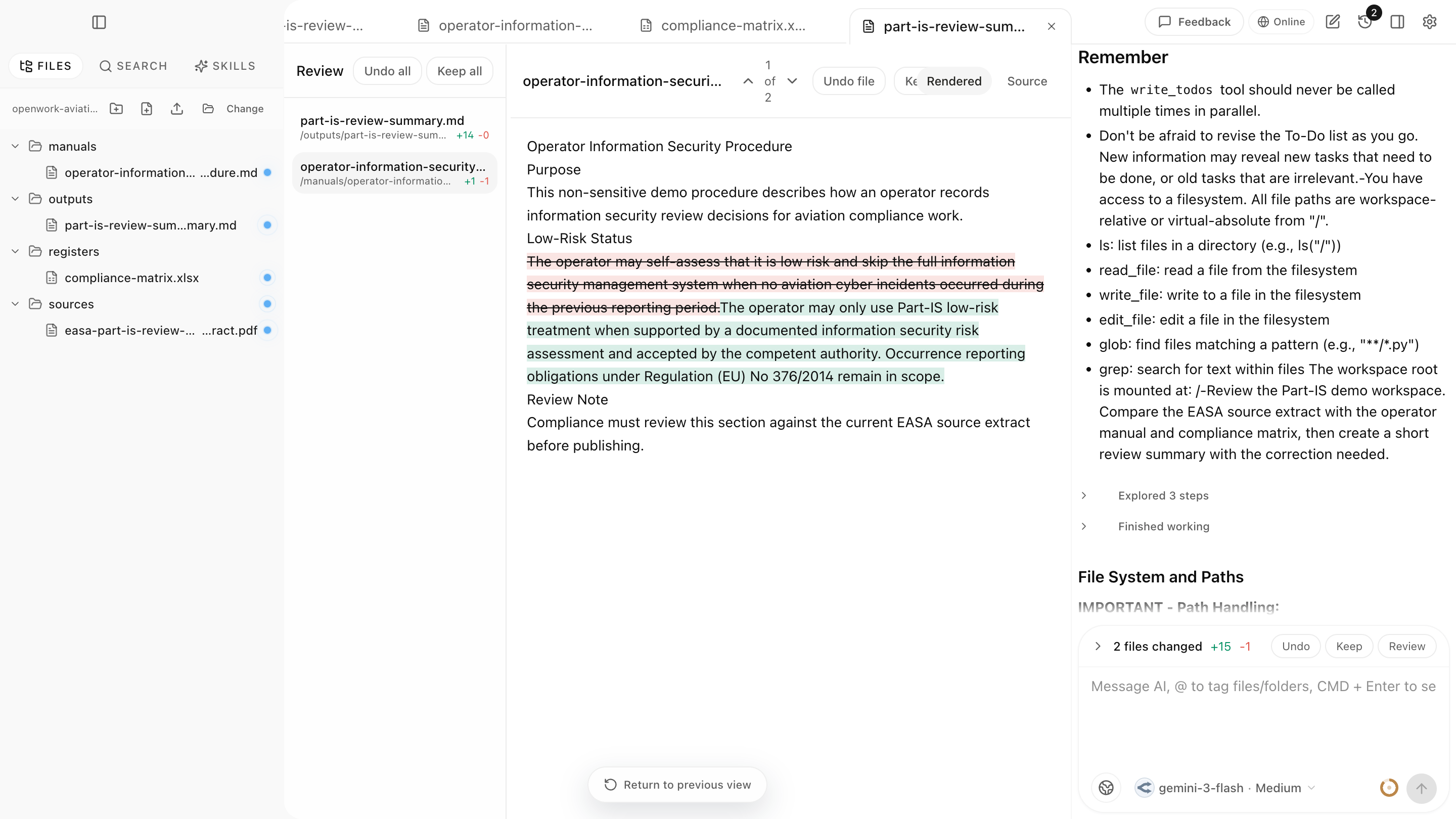
The demo below uses a non-sensitive aviation compliance workspace generated by the Aviation.Bot visual test harness. It shows source inspection, matrix review, manual correction, and a generated review summary inside the actual app.
The Aviation Documentation Problem
Aviation teams often need to answer questions like:
- Which documents mention this requirement?
- Does this manual section match the latest guidance?
- What evidence supports this statement?
- Which downstream documents may need an update?
- Are there conflicting terms across manuals, checklists, and review notes?
The difficult part is not writing text. The difficult part is finding the complete evidence set and keeping the change reviewable.
Why Local-First Matters
Many aviation and aerospace teams cannot freely upload operational, customer, or regulated documents into generic cloud AI tools. Even when cloud tools are allowed, teams still need to control which files are in scope and which model provider is being used.
A local-first workspace keeps the starting point clear: the user chooses the folder, the product indexes that workspace, and the AI workflow operates against that document set.
A Better Workflow
For aviation compliance work, a practical AI workflow looks like this:
- Select the relevant workspace folder.
- Search for every reference to a requirement, term, or change request.
- Open the original source documents.
- Draft a bounded change note or proposed update.
- Review the diff and supporting sources.
- Keep the expert in control of the final decision.
Aviation.Bot is designed for this loop: find, reason, edit, review, and trace.
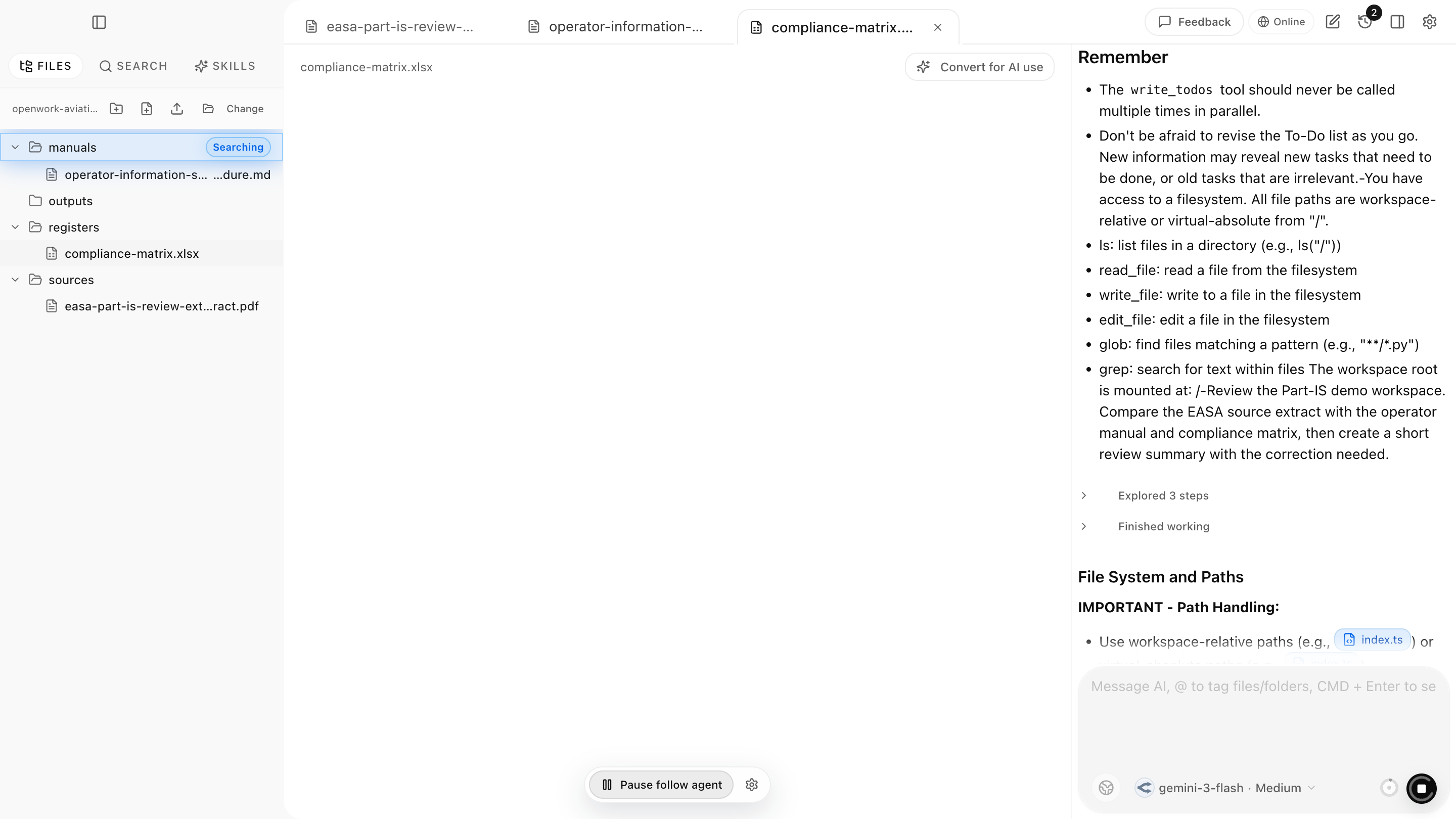
The useful detail is not just that AI can draft a paragraph. The useful detail is that the reviewer can keep the source PDF, the affected manual section, and the proposed change in the same workspace.
For a more concrete drone-operator example, see the SORA walkthrough: How to find gaps in an EASA SORA application before submission.
What To Avoid
Do not treat AI as a certification shortcut. A document assistant can help teams search, compare, draft, and review, but it does not replace engineering judgment, compliance ownership, or formal approval processes.
The useful promise is narrower and more practical: reduce the search tax, make source inspection faster, and keep AI-assisted document changes reviewable.
How Aviation.Bot Can Help
Aviation.Bot helps aviation teams work across the files that actually define a compliance problem: manuals, source PDFs, requirement tables, spreadsheets, review notes, and generated change summaries. Instead of asking AI to answer from one uploaded document, you can point it at the whole review folder and keep the source material visible while it searches, compares, drafts, and writes outputs.
The app is model-flexible: use a strong cloud model for speed and quality when permitted, or use a local/offline model for sensitive operational data, customer restrictions, company policy, or EU GDPR-sensitive workflows. The important product layer is the aviation document workflow around the model: indexed workspaces, original-source inspection, file-aware chat, generated reports, reviewable edits, and human sign-off.
Learn more at aviation.bot.